Answer common questions in one keystroke.
Give every agent a shared library of approved answers. Type “/”, pick a reply, and it's personalised with the customer's name and order details, ready to send in seconds.
- No credit card needed
- Setup in 5 mins
- Official WhatsApp API
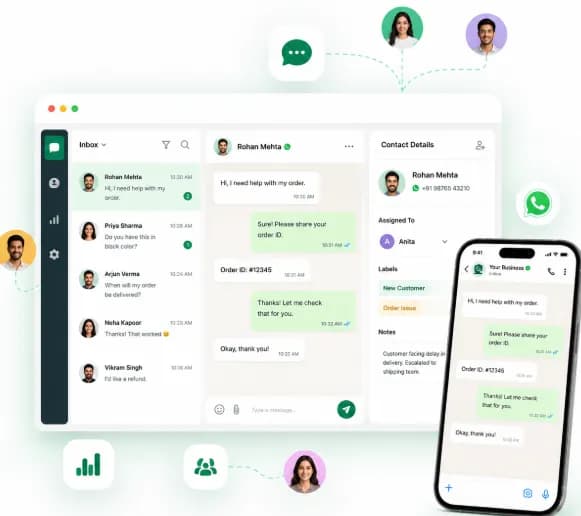
Trusted by 210,000+ businesses across 68+ countries










Why businesses choose Chatbox AI for
Quick Replies
Lightning-fast responses
Cut first response time from minutes to seconds on questions you answer dozens of times a day.
Consistent brand voice
Every agent uses the same approved, on-brand wording, including new joiners on day one.
Fewer errors
No more typos, wrong return windows or outdated policy details sent to customers.
Powerful capabilities
to scale on WhatsApp
Everything you need to automate conversations and drive conversions.
Type / and pick
Slash commands
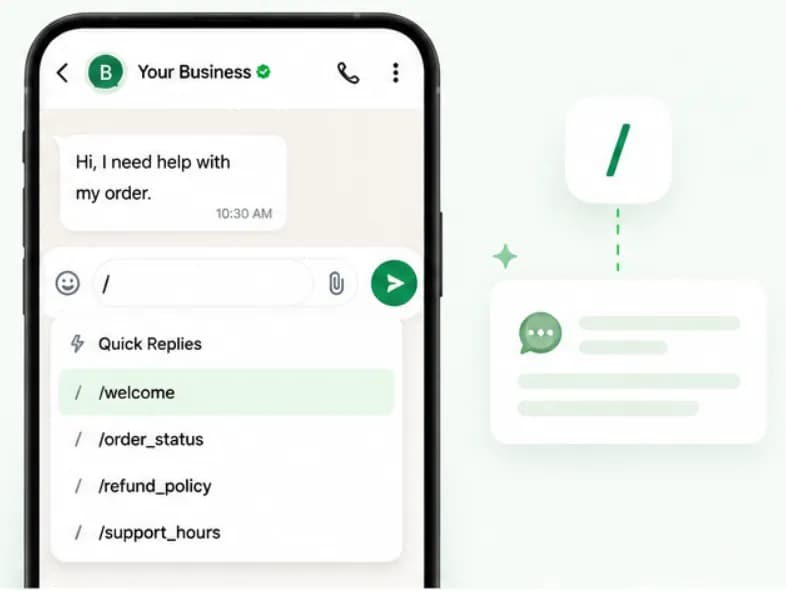
Type “/” in the message box to instantly pull up your quick-reply library. Start typing a shortcut like /refund_policy to filter, then press enter to insert the reply.
- Searchable shortcut list
- Keyboard-first for busy agents
- Works on web and mobile apps
Personal, not robotic
Dynamic variables
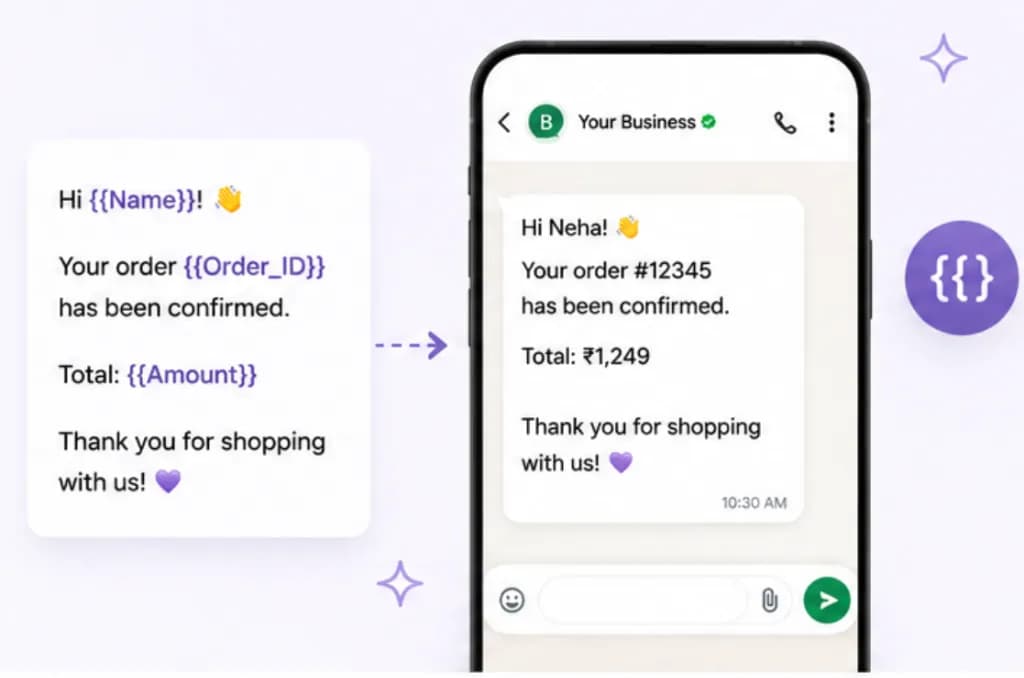
Insert placeholders like {{Name}}, {{Order_ID}} or {{Amount}} that fill in automatically from the contact's profile or order data, so a saved reply still feels one-to-one.
- Contact and custom attributes
- Order and payment fields via integrations
- Preview before sending
Organised for the whole team
Folders and categories
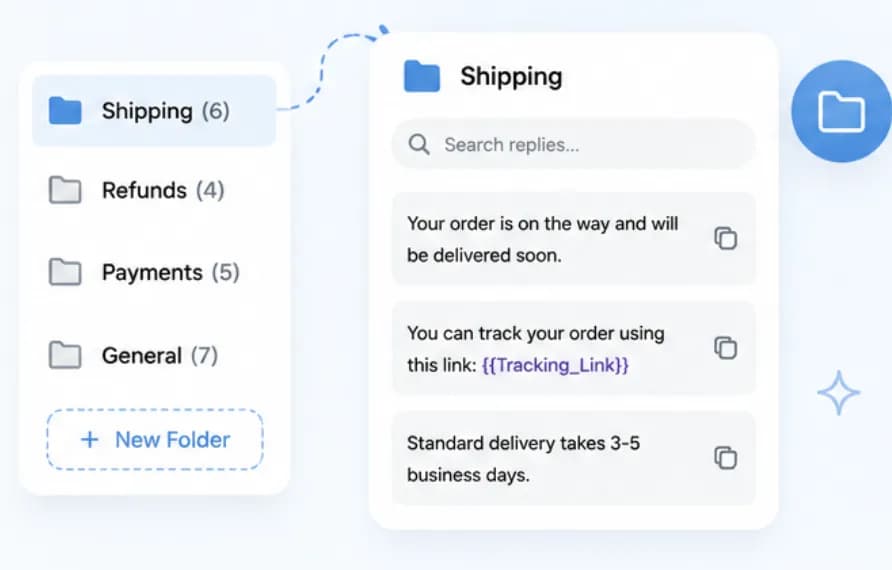
Group replies into folders such as Shipping, Refunds, Payments and General so agents find the right answer fast, and admins keep one source of truth.
- Unlimited folders
- Search across all replies
- Admins control who can edit
Set up Quick Replies
in minutes
- 1
Create folders
Set up categories that match your most common topics, like Shipping or Refunds.
- 2
Write replies
Add each answer with a short shortcut and variables such as {{Name}} or {{Order_ID}}.
- 3
Share with the team
Replies are instantly available to every agent in the shared inbox.
- 4
Refine over time
Update wording once and every agent uses the new version immediately.
How teams use
Quick Replies
Order status
Share tracking links and delivery timelines in one keystroke.
Returns and refunds
Explain your return window and refund steps the same way every time.
Payment help
Send UPI, card and COD instructions with the right payment link.
Store timings and locations
Answer 'are you open?' and 'where are you?' instantly.
Questions about
Quick Replies
Got questions about Quick Replies? We've got answers.
Quick replies are internal shortcuts agents use inside the 24-hour customer service window. Message templates are pre-approved by Meta and are needed to start a conversation or message a customer after 24 hours. Chatbox AI supports both.
What is the difference between quick replies and message templates? Quick replies are internal shortcuts agents use inside the 24-hour customer service window. Message templates are pre-approved by Meta and are needed to start a conversation or message a customer after 24 hours. Chatbox AI supports both.
Do quick replies need Meta approval? No. Quick replies are sent as normal free-form messages during an open conversation, so they don't need approval. Only template messages used to start conversations require Meta approval.
Can I personalise quick replies with customer details? Yes. Add variables such as {{Name}}, {{Order_ID}} or {{Amount}}. Chatbox AI fills them from the contact's attributes or connected order data when the agent inserts the reply.
Can every agent use the same quick replies? Yes. The library is shared across your workspace, so every agent in the Team Inbox, on web, Android or iOS, uses the same approved answers. Admins can control who can create or edit replies.
Can I include images or files in a quick reply? Yes. Attach an image, PDF or video to a saved reply, for example a size chart, price list or product brochure, so agents can send it with one shortcut.
Keep exploring

Your next 10,000 customers are already on WhatsApp.
Broadcast, automate, sell and support on the official WhatsApp Cloud API. Join 210,000+ businesses getting up to 98% open rates, and go live in under 2 minutes.
- 7-day free trial
- No credit card
- Cancel anytime