Real-time WhatsApp events for your own backend
Build custom logic and sync data in real time with Chatbox AI developer webhooks. Receive every message, read receipt and template status as it happens, and send messages from your own product with the REST API.
- No credit card needed
- Setup in 5 mins
- Official WhatsApp API
Trusted by 210,000+ businesses across 68+ countries










Why businesses choose Chatbox AI for
Webhook APIs
Real-time by default
Events are pushed to your endpoint the moment they happen, no polling.
Secure & reliable
Signed payloads you can verify, plus automatic retries if your server is briefly down.
Fits any stack
Plain HTTPS and JSON: works with any language, framework or legacy system.
Powerful capabilities
to scale on WhatsApp
Everything you need to automate conversations and drive conversions.
Know the moment it happens
Real-time event streams
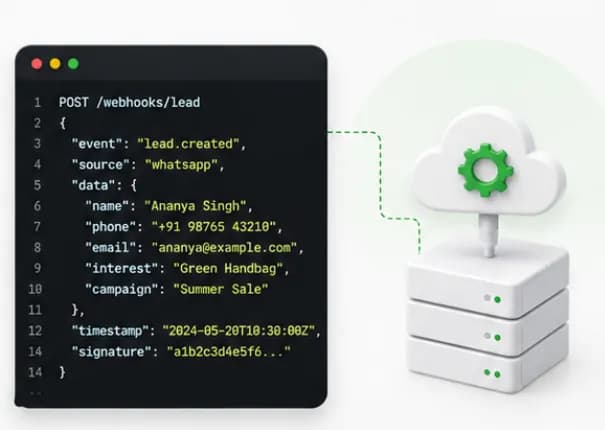
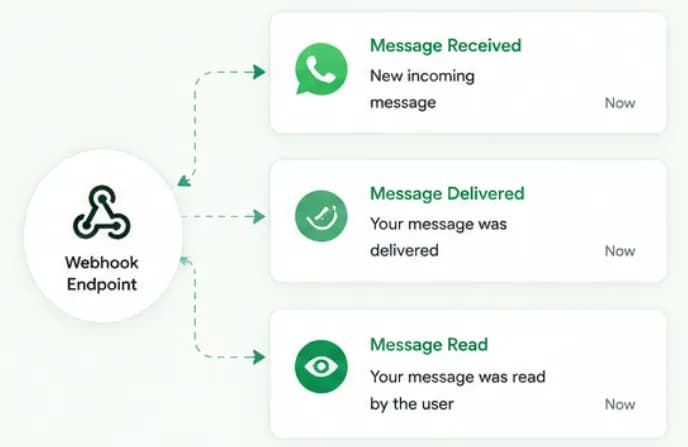
Receive instant HTTP POST payloads for events like message received, template approved or message read. Subscribe only to the events you need and route them to your CRM, data warehouse or internal tools.
- Message received, delivered and read
- Template approval status
- Choose events per endpoint
Enterprise-grade
Secure & reliable delivery
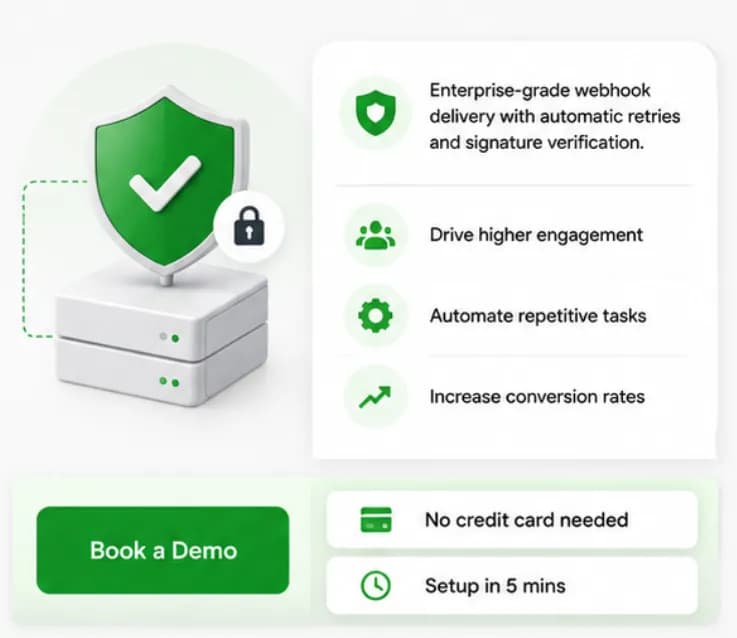
Enterprise-grade webhook delivery with automatic retries and signature verification. Verify every request came from Chatbox AI before you process it, and don't lose events during a deploy.
- Signature verification on every request
- Automatic retries on failure
- HTTPS-only endpoints
For proprietary systems
Custom CRM sync
Perfect for integrating Chatbox AI with proprietary in-house tools or legacy CRM systems. Combine webhooks with the REST API to log conversations, update records and send WhatsApp messages from your own workflows.
- Two-way sync with in-house tools
- Send messages via the REST API
- Ideal for partners and agencies

Set up Webhook APIs
in minutes
- 1
Create an endpoint
Deploy an HTTPS endpoint on your server that accepts POST requests with a JSON body.
- 2
Register the webhook
In Chatbox AI, go to Integrations → Webhooks, add your endpoint URL and choose the events you want.
- 3
Verify signatures
Use the signing secret from your dashboard to verify each request before processing it.
- 4
Send messages via API
Generate an API key and call the Chatbox AI REST API to send template or session messages from your app.
How teams use
Webhook APIs
In-house CRM sync
Log every WhatsApp conversation against the customer record.
Data warehouse
Stream delivery and read events for your own reporting.
Transactional alerts
Send OTPs, bookings and status updates from your product.
Custom routing
Route conversations to agents using your own business rules.
Agencies & partners
Integrate WhatsApp into the platforms you build for clients.
Legacy systems
Connect older ERPs and tools over simple HTTPS.
Questions about
Webhook APIs
Got questions about Webhook APIs? We've got answers.
Chatbox AI can send real-time events such as message received, message delivered, message read and template approved. You choose which events each endpoint receives in the Webhooks settings.
Which events can Chatbox AI send to my webhook? Chatbox AI can send real-time events such as message received, message delivered, message read and template approved. You choose which events each endpoint receives in the Webhooks settings.
How do I verify a webhook came from Chatbox AI? Each request is signed. Use the signing secret shown in your dashboard to verify the signature before processing the payload, and reject requests that don't match.
What happens if my server is down? Chatbox AI retries failed webhook deliveries automatically, so short outages or deploys don't cause lost events. Make your handler idempotent in case an event is delivered more than once.
Can I send WhatsApp messages through an API? Yes. The Chatbox AI REST API lets you send approved template messages and in-session replies from your own application, using an API key from your dashboard. See the developer API docs in Resources.
Is this the same as the Meta WhatsApp Cloud API? Chatbox AI is built on the official WhatsApp Cloud API. Our webhooks and REST API sit on top of it and add the Chatbox AI inbox, contacts, templates and automations, so you don't have to manage Meta's infrastructure yourself.
Which plan includes webhooks and API access? Webhook integrations are included from the Growth plan (₹2,999/month). Custom integrations and API access with dedicated account management are part of the Scale plan.
Keep exploring

Your next 10,000 customers are already on WhatsApp.
Broadcast, automate, sell and support on the official WhatsApp Cloud API. Join 210,000+ businesses getting up to 98% open rates, and go live in under 2 minutes.
- 7-day free trial
- No credit card
- Cancel anytime