WhatsApp templates that get approved and convert
Explore ready-to-use message templates for every business use case, festive offers, cart recovery, OTPs, order updates and invoices, written to Meta's guidelines so they clear review first time.
- No credit card needed
- Setup in 5 mins
- Official WhatsApp API

Trusted by 210,000+ businesses across 68+ countries








Why businesses choose Chatbox AI for
Template Library
Written for approval
Every template follows Meta's category rules and variable guidelines to reduce rejections.
Edit and submit in seconds
Pick a template, swap in your brand and variables, and submit it for review from the dashboard.
Rich media and buttons
Use images, documents, quick-reply and call-to-action buttons to lift response rates.
Powerful capabilities
to scale on WhatsApp
Everything you need to automate conversations and drive conversions.
Offers, launches and cart recovery.
Marketing templates
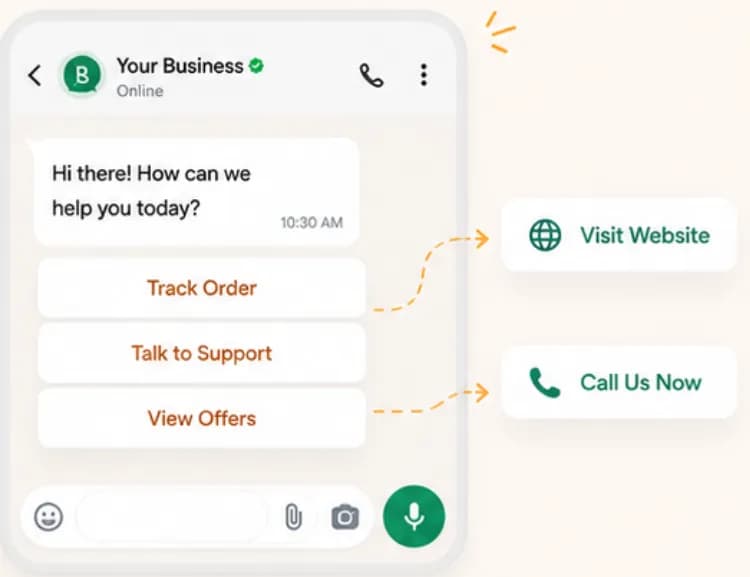
High-converting templates for festive offers, flash sales, new arrivals and abandoned-cart recovery. Add a product image, a coupon code variable and a 'Shop now' button to turn a broadcast into sales.
- Diwali and festive sale announcements
- Flash-sale countdowns
- Abandoned-cart reminders with checkout link
- Back-in-stock alerts
Transactional updates customers expect.
Utility templates
Pre-structured formats for order confirmations, shipping and delivery updates, payment reminders, invoices and account alerts, including COD confirmation flows popular with Indian e-commerce.
- Order confirmed and shipped
- Out-for-delivery and delivered
- COD confirmation with quick-reply buttons
- Payment due and receipt
Get your own templates approved.
Custom templates and approval
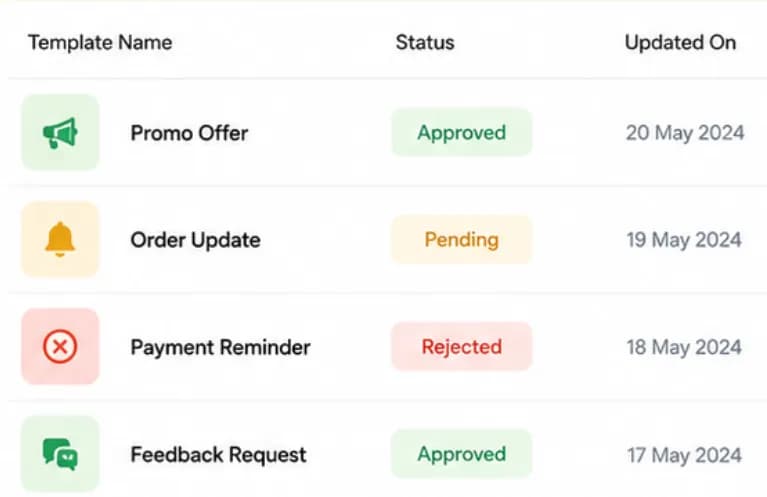
Learn the exact guidelines Meta uses to review templates, choosing the right category, adding sample values for every variable and avoiding wording that triggers rejection, and track approval status right in Chatbox AI.
- Pick the correct category first time
- Add sample values for variables
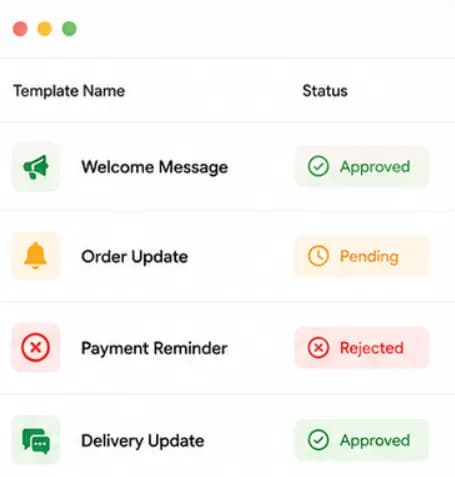
- Track Approved, Pending and Rejected status
- Edit and resubmit rejected templates
Set up Template Library
in minutes
- 1
Pick a template
Browse the Template Library by category, Marketing, Utility or Authentication, and choose one that fits your use case.
- 2
Customise it
Add your brand name, variables like {{1}} for the customer's name, media and buttons.
- 3
Submit for review
Submit the template to Meta from the Chatbox AI dashboard and track its status.
- 4
Send it
Once approved, use the template in a broadcast, automation or one-to-one conversation.
How teams use
Template Library
E-commerce
Cart recovery, order updates and COD confirmation for Shopify and D2C stores.
Fintech
Payment reminders, transaction alerts and OTP authentication messages.
EdTech
Class reminders, fee due notices and admission follow-ups.
Healthcare
Appointment confirmations, reminders and report-ready alerts.
Questions about
Template Library
Got questions about Template Library? We've got answers.
Meta groups templates into three categories: Marketing (promotions, offers, announcements), Utility (updates tied to a transaction or account, such as order and shipping status) and Authentication (one-time passwords). Each category is priced differently by Meta, so picking the right one matters.
What are the WhatsApp template categories? Meta groups templates into three categories: Marketing (promotions, offers, announcements), Utility (updates tied to a transaction or account, such as order and shipping status) and Authentication (one-time passwords). Each category is priced differently by Meta, so picking the right one matters.
How long does WhatsApp template approval take? Meta reviews most templates quickly, often within minutes, though some take longer. Chatbox AI shows each template's status, approved, pending or rejected, so you know when it's ready to send.
Why do templates get rejected? Common reasons include choosing the wrong category, missing sample values for variables, vague or misleading content, variables at the very start or end of the message, and content that breaks WhatsApp's Commerce Policy. Fix the issue and resubmit.
Can I add images and buttons to templates? Yes. Templates can include a header with an image, video or document, plus quick-reply buttons or call-to-action buttons that open a URL or start a phone call.
Do I need a template to reply to a customer? No. When a customer messages you, a 24-hour customer-service window opens and you can reply with free-form messages. Templates are only required to start a conversation or message someone after that window closes.
How much does it cost to send a template in India? Meta charges per delivered template message, separately from your Chatbox AI plan. Approximate India rates published on the Chatbox AI pricing page are ₹0.58 for marketing, ₹0.14 for utility and ₹0.12 for authentication; replies inside the 24-hour customer service window are free.
Keep exploring

Your next 10,000 customers are already on WhatsApp.
Broadcast, automate, sell and support on the official WhatsApp Cloud API. Join 210,000+ businesses getting up to 98% open rates, and go live in under 2 minutes.
- 7-day free trial
- No credit card
- Cancel anytime