Key takeaways
- WhatsApp broadcasts on the Business API use Meta-approved templates and can reach any opted-in contact, not just people who saved your number.
- Meta's messaging limits (1K, 10K, 100K, unlimited unique customers per 24 hours) cap business-initiated reach.
- Blocks and reports from recipients lower your quality rating, which can pause templates and hold back limit upgrades.
- Marketing templates cost approximately ₹0.58 per message in India (subject to change), so segmentation directly saves money.
- Replies to a broadcast open a 24-hour window where free-form service replies are free.
A WhatsApp broadcast can drive more sales in an hour than a week of social posts, or it can get your number flagged. The difference is almost always in the details: who you send to, what you send and how often.
Here are 15 practical rules for running WhatsApp broadcasts on the Business API, grouped by stage.
What is a WhatsApp broadcast?
On the WhatsApp Business API, a broadcast is a template message sent to many opted-in contacts at once. Each recipient gets it as a private one-to-one message, and any reply lands in your inbox as a normal conversation.
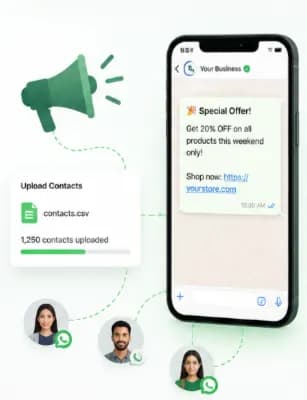
Unlike broadcast lists in the free app, API broadcasts do not require recipients to have saved your number. They do require opt-in and an approved template. Chatbox AI's broadcast tool lets you upload contacts, pick a template, personalise it and send or schedule in a few clicks.
Before you send: who should get the message?
1. Only broadcast to opted-in contacts
Every other rule is secondary. Messaging people who did not ask to hear from you causes blocks and reports, which lower your quality rating. Never use bought or scraped lists.
2. Clean your list
Remove duplicates, invalid numbers and contacts who opted out. Make sure numbers include the country code (for India, +91).
3. Segment by behaviour, not just demographics
A festive sale is relevant to past buyers; a "complete your first order" nudge is relevant to subscribers who have never bought. Useful segments include:
- Recent buyers vs lapsed customers
- Product category interest
- Cart value or order history
- City or language
- Engagement (clicked or replied recently)
Use contact management tags and attributes to build these.
4. Warm up large or new lists gradually
Start with your most engaged segment. If they respond well, expand. This protects quality and helps your messaging limit grow from 1K to 10K and beyond.
Writing the message: what makes a broadcast work?
5. Choose the right template category
Promotional content is marketing. Do not disguise offers as utility messages: Meta can re-categorise the template, and customers notice.
6. Lead with a rich media header
A product image or short video grabs attention in the chat list. Make sure it is clear on a small screen.
7. Personalise beyond the first name
Use variables for name, last product bought, city or loyalty points. "Your favourite Rose Oud perfume is back in stock" beats "New stock arrived!"
8. Keep it short and give one clear action
Two to four short lines, then a button: "Shop now", "Book slot", "View offer". Too many links dilute clicks.
9. Use buttons instead of asking people to type
Quick reply buttons ("Yes, remind me", "Not interested") make responding effortless and give you clean data. A "Stop promotions" button gives unhappy recipients an alternative to blocking.
10. Send in the customer's language
For Indian audiences, Hindi and regional-language templates often feel more personal. Chatbox AI supports multi-language templates.
Timing and frequency: when and how often?
11. Pick sensible send times
Avoid very early mornings and late nights. Test a few windows, late morning, lunch, early evening, and let your read and click data decide. Use scheduling to plan sends in advance.
12. Cap frequency
There is no official number, but repeated marketing messages to the same person quickly lead to blocks. Many brands keep promotional broadcasts to a few per month per customer, supplemented by triggered messages like cart reminders.
13. Stagger very large campaigns
Rather than sending to your entire list in one go, split it into waves. You stay within your limit, can fix issues found in the first wave and reduce the load on your support team.
After sending: how do you measure and follow up?
14. Staff the inbox
Broadcasts generate replies. Each reply opens a 24-hour window in which service replies are free, and those customers are ready to buy. Route replies through the team inbox and let a chatbot answer simple questions instantly.
15. Measure what matters
| Metric | Healthy signal | Warning sign |
|---|---|---|
| Delivered | Most messages delivered | Many failures: check numbers, limits, template status |
| Read | High read rate | Low reads, timing or sender recognition issue |
| Clicked | Clicks on your button | Few clicks, weak offer or unclear CTA |
| Replied | Replies and questions | Silence, message not relevant |
| Conversions | Orders or bookings attributed | Clicks but no orders, check landing page |
| Opt-outs and blocks | Low and stable | Rising, slow down and re-segment |
Chatbox AI's broadcast analytics show delivery, reads and button clicks in real time, and you can export results to refine the next campaign.
"Broadcast analytics are detailed and helped us optimize our messaging strategy." - Ananya Reddy, Growth Lead, FinApp
How much does a broadcast cost?
Each marketing template delivered is charged by Meta. Chatbox AI's pricing page lists an approximate India rate of ₹0.58 per marketing message; rates vary by country and Meta updates them periodically. A 5,000-contact broadcast is therefore roughly ₹2,900 in Meta charges before taxes, plus your plan.
That is why segmentation matters twice: it improves results and cuts wasted spend. More detail in WhatsApp conversation pricing.
What are some broadcast ideas that work?
- Back in stock for customers who viewed or wishlisted a product
- Early access to a sale for repeat buyers
- Festive offers: Diwali, Holi, Eid, Christmas, to relevant segments
- Event reminders with webinar links or venue details
- New collection launches with a video header
- Win-back offers for customers inactive for 90+ days
- Loyalty point reminders before points expire
What does a good broadcast look like end to end?
Here is how the rules come together for a fictional fashion brand launching a festive collection:
- Audience: customers who bought ethnic wear in the last 12 months and opted in to offers, not the full list.
- Template: a marketing template with a short video header of the new collection, the customer's first name, a line about early access, and two buttons, "Shop the collection" and "Stop promotions".
- Language: Hindi for customers who chose it at sign-up, English for the rest.
- Timing: scheduled for early evening, split into two waves a day apart.
- Follow-up: replies go to a chatbot that answers sizing and delivery questions, with handoff to the team inbox for anything else.
- Review: the team compares clicks, replies, orders and opt-outs between the two waves before planning the next send.
Nothing here is complicated. The difference is that every decision is made with the recipient in mind.
A pre-send checklist
- Audience is opted in and segmented
- Opted-out contacts excluded
- Template approved in the right category
- Variables tested with real data
- Media header clear on mobile
- One clear button, plus an opt-out option
- Send time scheduled
- Inbox staffed or chatbot ready for replies
- Tracking links in place
Ready to send better broadcasts?
WhatsApp rewards businesses that treat broadcasts as useful, personal messages rather than mass blasts. Follow these rules and you will see higher clicks, more replies and a messaging limit that keeps growing. For the bigger picture, read our WhatsApp marketing strategy guide.
Start your 7-day free trial of Chatbox AI and send your first segmented broadcast today.
Frequently asked questions
On the Business API, as many unique opted-in customers as your messaging limit allows in a rolling 24 hours: 1K, 10K, 100K or unlimited depending on your tier. Large lists can be scheduled across days while your tier grows.
How many people can I send a WhatsApp broadcast to? On the Business API, as many unique opted-in customers as your messaging limit allows in a rolling 24 hours: 1K, 10K, 100K or unlimited depending on your tier. Large lists can be scheduled across days while your tier grows.
What is the difference between an app broadcast list and an API broadcast? App broadcast lists only reach contacts who have saved your number and are limited in size. API broadcasts use approved templates, reach any opted-in contact and come with scheduling, personalisation and analytics.
What is the best time to send a WhatsApp broadcast? It depends on your audience. Many consumer brands test late morning, lunch and evening slots. Use your own read and click data to find the best window, and avoid very late or very early sends.
Why are my broadcast messages failing to deliver? Common causes are invalid or non-WhatsApp numbers, hitting your messaging limit, recipients who have blocked you, a paused template, or Meta limiting marketing messages to users who have received many recently.
Can I schedule WhatsApp broadcasts? Yes. Chatbox AI lets you schedule broadcasts in advance, so you can plan festive sales and launches weeks ahead.
